Discord Webhooks
Discord Webhooks
I am using discord webhooks for a whole bunch of my services to notify me and my discord friends of certain things that are happening. It’s super easy to setup and use, so I wanted to put it out there for others.
First things first, you will need your own discord server or enough admin rights of someone elses Discord server. You’ll need to create a channel or select a channel that you want the notifications to go to. I have created a private server called “server-notify” that my servers send notifications to if there are any issues.

Once you have selected you channel, click on the gear icon to the right of the name. Then you can click on “Integrations” and then the “Create Webhook” button.

Discord will create the new webhook with some weird name. If you click on it, you can adjust the name and image.
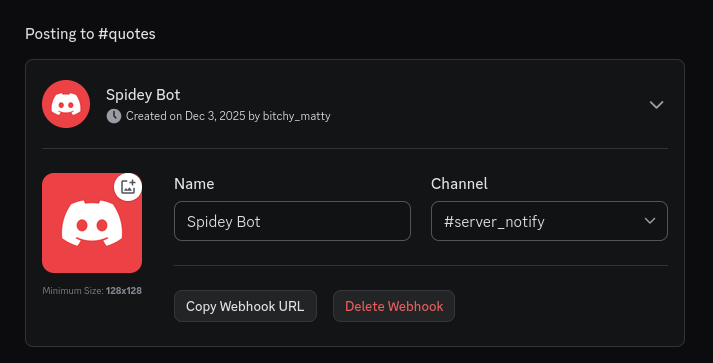
The “Copy Webhook URL” is the important part. Grab that and then you can use it to send messages to this channel. How you do that is up to you and your needs though. For me I have python scripts to push notifications. I also have a vpn that has built in notification scripts, I just had to provide webhook url.
Congrats!
You are now a server channel to send info to! how cool is that!
If you have any issues, or if you have any suggestions or requests for upcoming content, feel free to email me or join my Discord.
Up next:
not sure at moment